The practical answer is to start with a single capable agent and a narrow job. Move to multiple agents only when a concrete boundary - different knowledge or permissions, independent parallel work, a separate validation role or an overloaded tool and context space - makes the single-agent design hard to control or evaluate.
An agent architecture is a workflow decision, not a badge of sophistication. OpenAI's practical guide to building agents recommends starting with a single agent and adding complexity when the workflow needs it. Microsoft's single-agent and multi-agent design guidance makes the same trade-off visible: one agent is simpler to operate, while multiple agents can create useful separation when responsibilities, teams or controls are genuinely different.
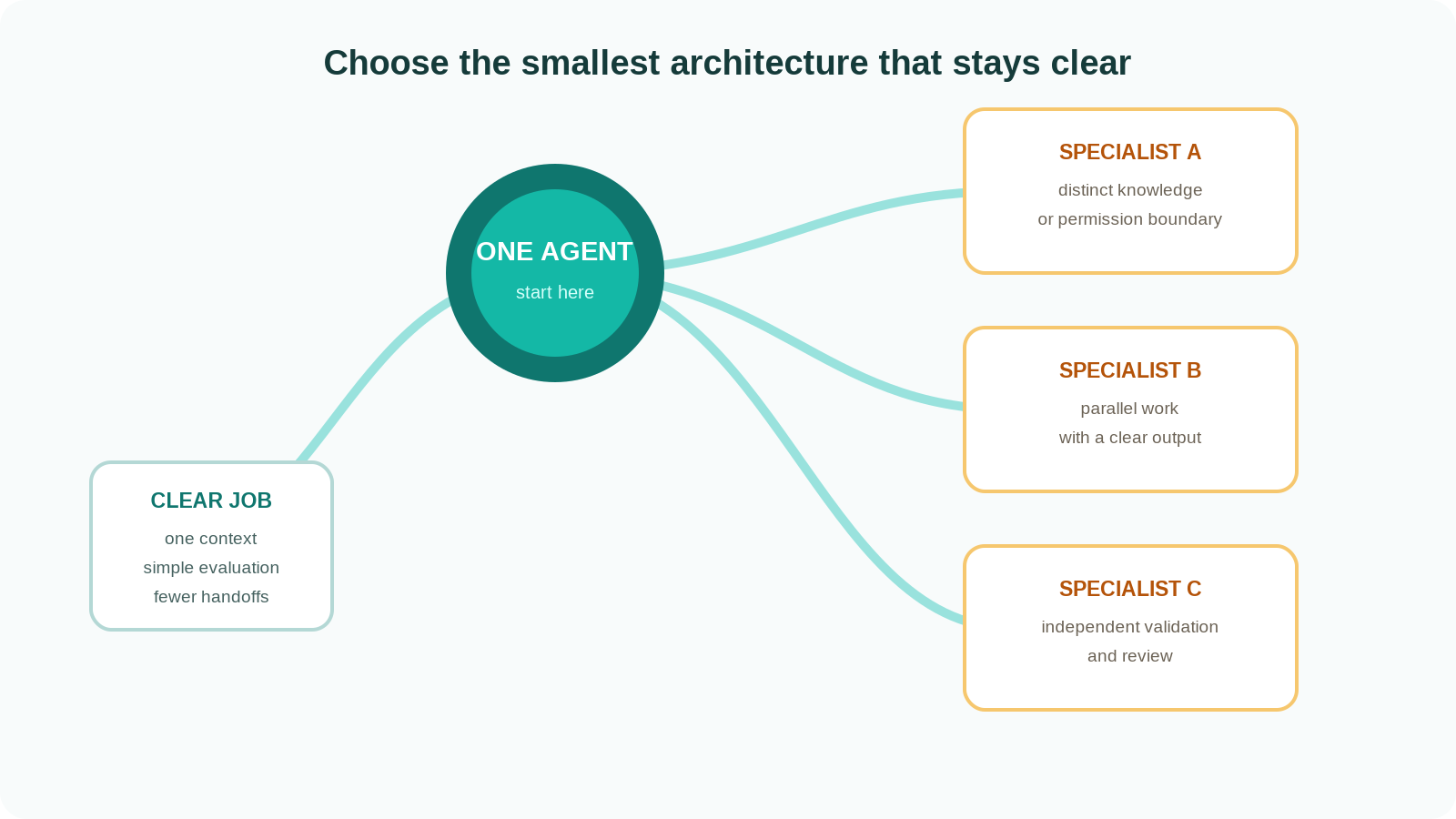
The right number of agents is the smallest number that makes the workflow clearer, safer and easier to evaluate.
Start with one agent. Split when you can prove that separate knowledge, permissions, parallel work, tool boundaries or independent validation will improve the result. Give each handoff a defined input, output, owner and failure path, then measure whether the added coordination is earning its keep.
Start with one agent and a narrow job
A single agent keeps the first version understandable. One set of instructions can describe the job, one context can hold the relevant information, and one evaluation loop can show whether the result is useful. You can add a small set of named tools without immediately introducing routing, handoffs and separate permissions.
This is closely related to writing clear agent instructions: define the job, the inputs, the available tools, the exception path and the output a person can verify. Our guide to writing AI agent instructions gives that first workflow a practical shape before architecture becomes the main concern.
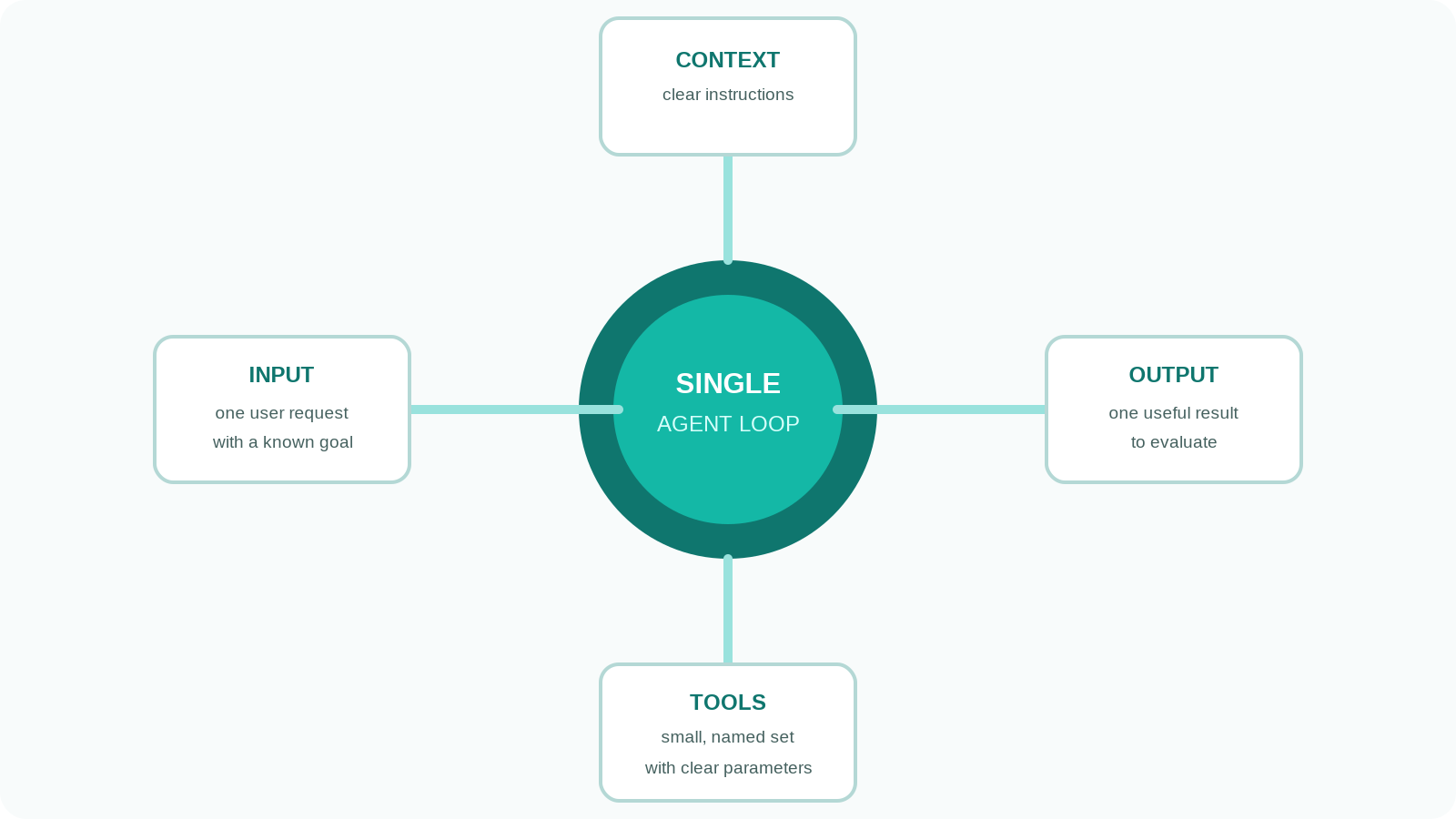
- Can one agent own the workflow from request to result?
- Can you name the small set of tools it needs?
- Can a person evaluate the output without reconstructing several handoffs?
- Can failures stop safely or reach a clear human review path?
Split only when one agent hits a concrete limit
Adding agents can be useful, but the reason should be operationally specific. Split a responsibility when it requires different knowledge or access, when independent work can run in parallel, when a separate validator improves control, or when one agent's tools and context have become difficult to understand and test.
Microsoft's multi-agent orchestration patterns caution against creating an agent for every subtask. They recommend focused agents when domains, tools, knowledge or governance differ, while noting that every added agent increases context switching and maintenance. Google Cloud's agentic AI design guidance similarly describes multi-agent designs as useful when responsibilities are distinct or tasks are independent and parallel.
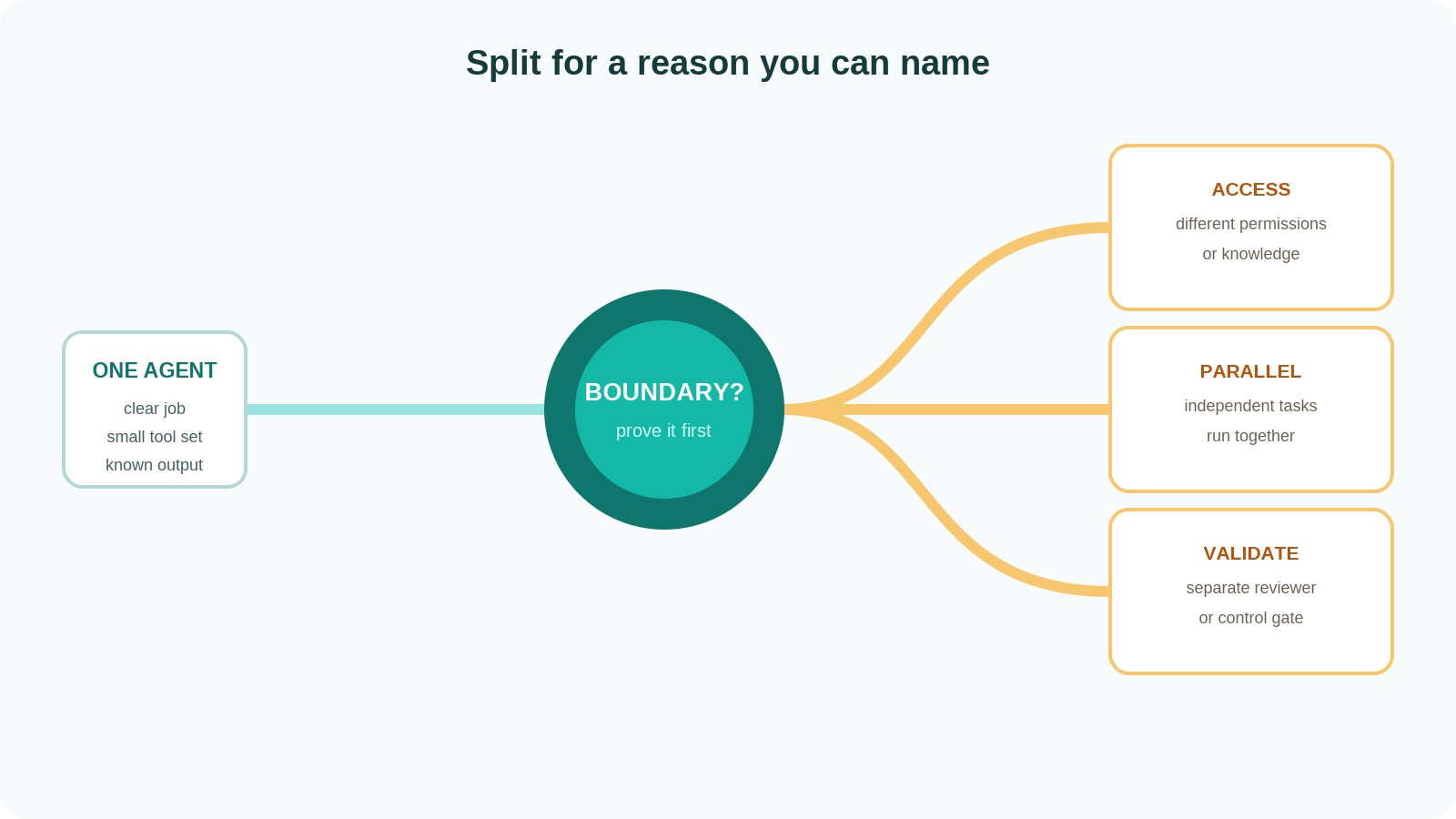
Every small step becomes an agent, even though the steps share context, access and one outcome.
A specialist owns a different domain, permission set, parallel task or validation responsibility with a defined result.
Design handoffs as contracts, not conversations
A multi-agent workflow is only as reliable as the boundaries between its parts. Each handoff should state what the receiving agent gets, what it must return, who owns the next decision and what happens when it cannot complete the work. A vague instruction to “ask the research agent” creates a new source of ambiguity instead of removing one.
Make the contract concrete: a request type, the allowed context, a bounded output, evidence or status, and an escalation path. Verify that the receiving agent actually gets the context it needs and that its permissions match its role. This also gives you something useful to log and evaluate.
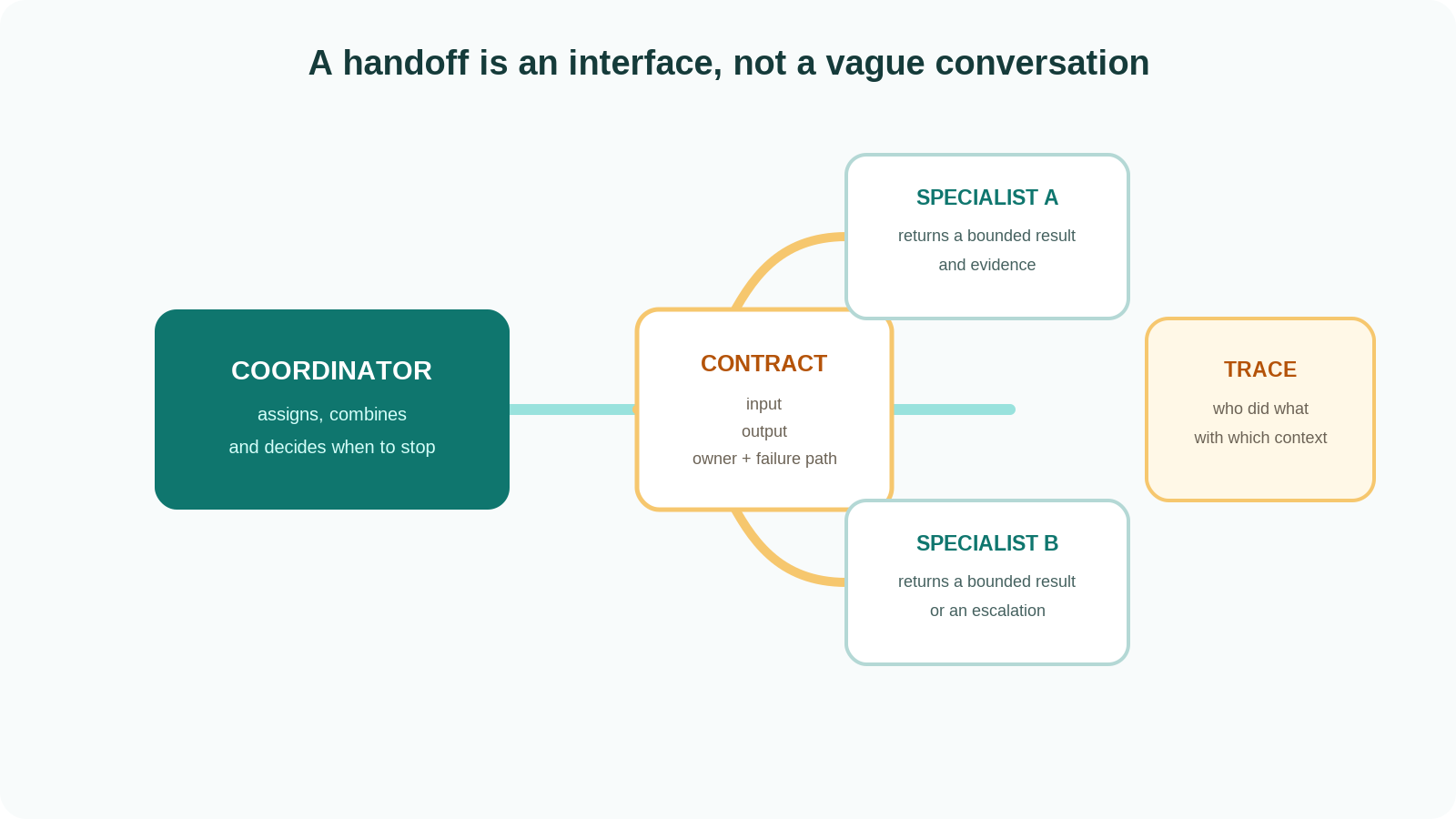
If you cannot describe the handoff in a small contract, the boundary may not be ready for a separate agent.
Choose the simplest orchestration pattern that fits
Once a split is justified, choose the routing pattern from the work. Use a sequential flow when each step depends on the previous result. Use parallel work when tasks are independent and can be combined later. Use a manager or router when one coordinator must decide which specialist should handle a request. Use a handoff when ownership should move from one domain to another.
The names vary across platforms, but the design question stays stable: where is the dependency, and who owns the next decision? Anthropic's common agent architecture patterns also recommends improving a single agent with specialised skills before adding more coordination, unless the task genuinely benefits from separate agents.
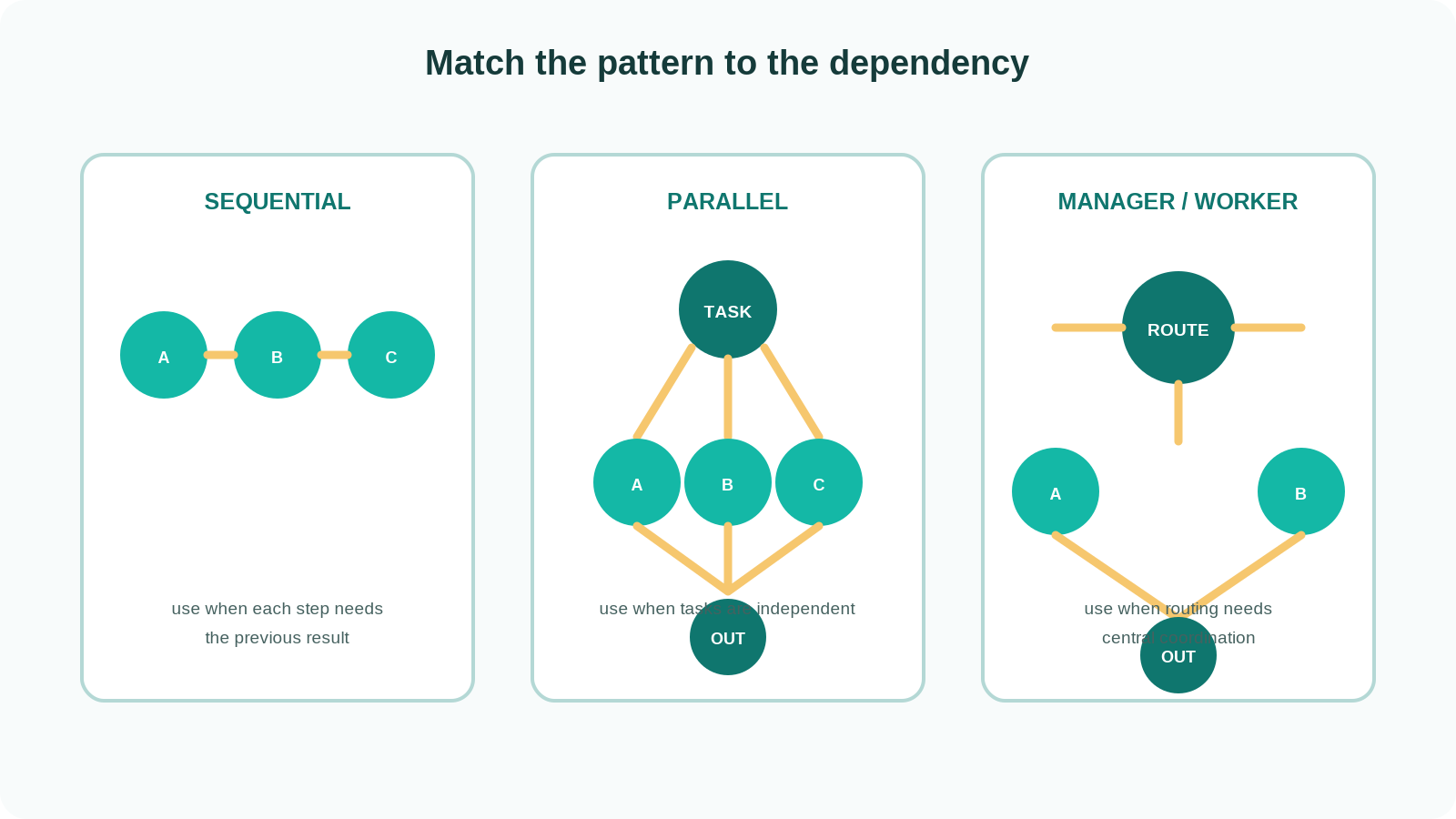
- What must wait for a previous result?
- Which tasks can run independently without sharing mutable context?
- Who decides the next specialist and what evidence does it need?
- What is the stop condition when a route fails or a result conflicts?
Govern a multi-agent system like a workflow
More agents do not remove the need for human judgment. They multiply the places where a request can be interpreted, data can cross a boundary, a tool can be called or a result can be accepted. Give each agent the minimum permissions it needs, record the important handoffs and tool calls, and make failures visible instead of silently passing uncertain work downstream.
Monitoring should answer practical questions: which agent ran, what context it saw, which tool it used, what it returned, how long it took and where a person had to step in. Our guide to measuring AI agent performance covers the scorecard mindset; our guide to judgment and guardrails covers the review and stop paths that keep automation accountable.
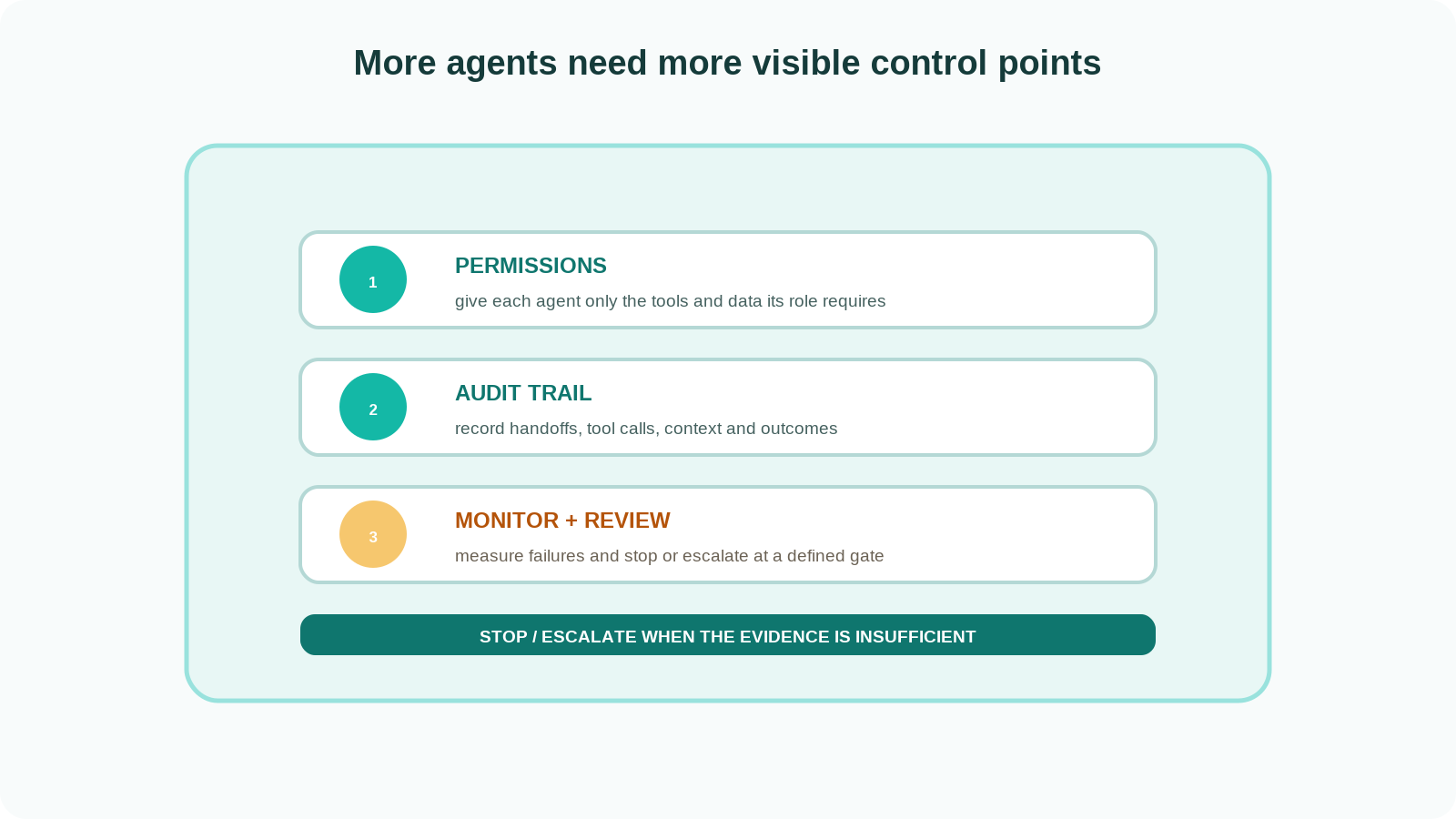
Compare the multi-agent workflow with the single-agent baseline. Keep the extra agents only if they improve quality, control, speed or ownership enough to justify their overhead.
Frequently asked questions
A single-agent system uses one agent with instructions, tools and a defined context to handle a workflow. It is usually simpler to build, test, observe and maintain.
A multi-agent system coordinates two or more specialised agents. Each agent may own a different domain, tool set, permission boundary or validation responsibility.
Start with one agent unless you can name a real boundary such as distinct permissions, independent parallel work, separate knowledge or tool and context overload that remains after simplification.
Splitting every subtask into its own agent. Extra agents add handoffs, context management, permissions, monitoring and failure paths, so the split should solve a demonstrated problem.
Learn orchestration by building a real workflow
The fastest way to understand the trade-off is to map one real workflow, build the smallest useful version, test its boundaries and inspect where coordination helps or gets in the way. The Applied AI Agents workshop is a practical next step for working professionals who want to turn a real process into a bounded agent workflow and learn by testing the result.
Bring a repeated process and ask one question first: what is the smallest useful architecture I can evaluate? The answer may be one agent. If it is not, the evidence should show exactly where a specialist, handoff or reviewer belongs.