When an AI agent behaves unexpectedly, the first response is not to debate whether it was a model problem, a prompt problem or a user problem. Use a runbook: detect the signal, contain further action, preserve evidence, recover the business workflow and change the control before reactivating the agent.
An incident can be a wrong answer with real impact, an unauthorised tool call, sensitive data exposure, a repeated failure, a system change that was not approved or a near-miss that reveals a dangerous path. NIST's AI RMF Manage guidance recommends documented response and recovery plans, monitoring, deactivation procedures and tracking incidents and near-misses. This is an operational checklist, not a substitute for your organisation's legal, security or regulatory response plan.
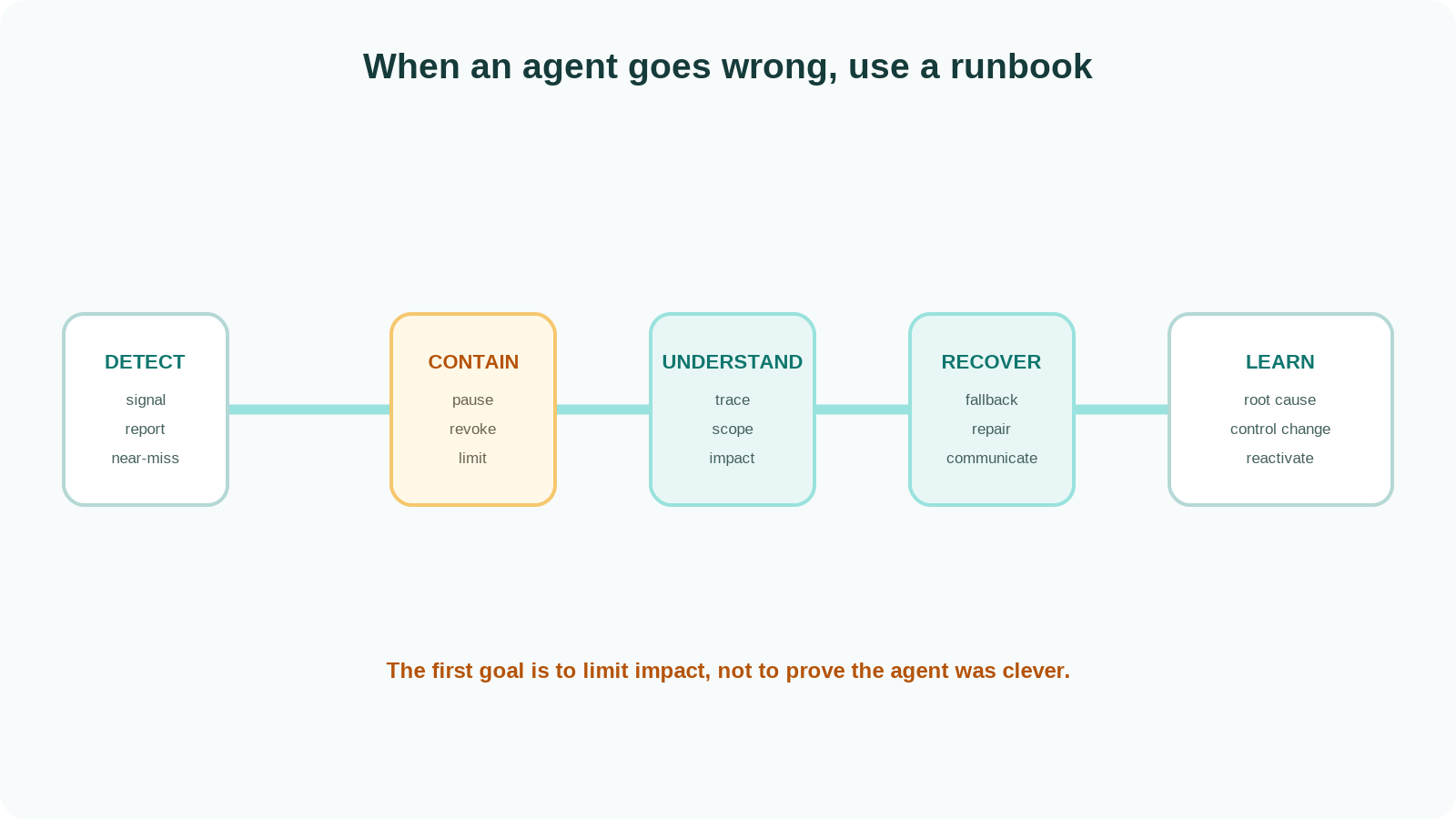
The first goal of an AI incident response is to limit impact, not to prove the agent was clever.
Keep five moves visible: detect and classify the event, pause or restrict the agent, preserve system evidence, communicate and recover with a safe fallback, then learn and retest before reactivation. Assign owners in advance so the response does not depend on finding the right person during the incident.
1. Detect the signal and classify the impact
Start with the observable event. A user report, an unexpected tool call, an access alert, a wrong output, a sudden cost spike or a near-miss can all be the first signal. Record what was observed before the team fills the gap with assumptions.
Classify the event using impact, scope and reversibility. Did it affect one draft or change many records? Can the action be undone? Did sensitive information leave the approved boundary? The severity determines who owns the response, whether the agent should pause and how quickly affected people need an update. NIST's AI incident response guidance recommends clear roles, response policies and mechanisms for human adjudication.
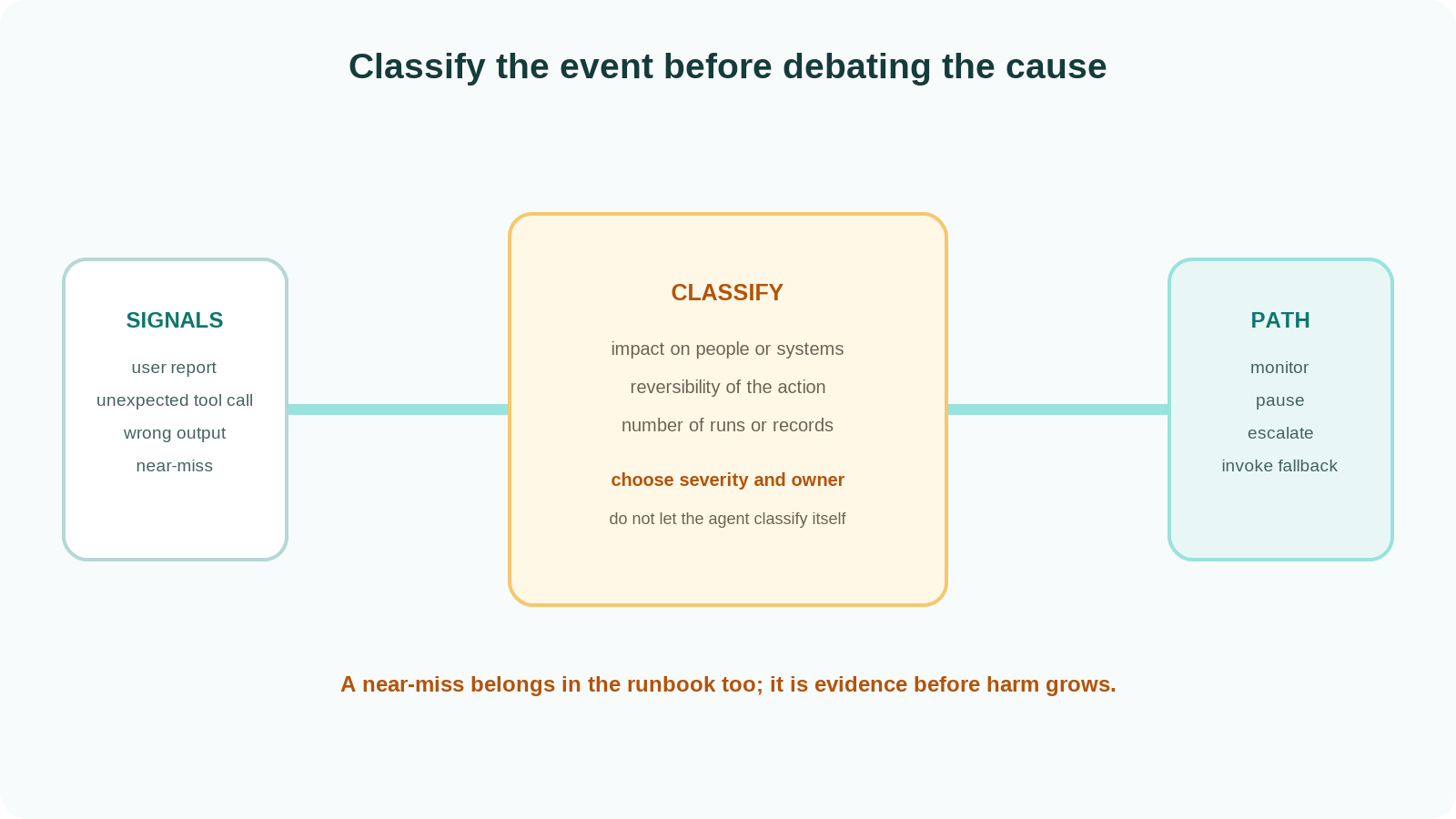
- What exactly happened, and how was it detected?
- What people, records, tools or systems could be affected?
- Is the action still happening, and can it be reversed?
- Who is the accountable incident owner?
2. Pause the ability to cause more impact
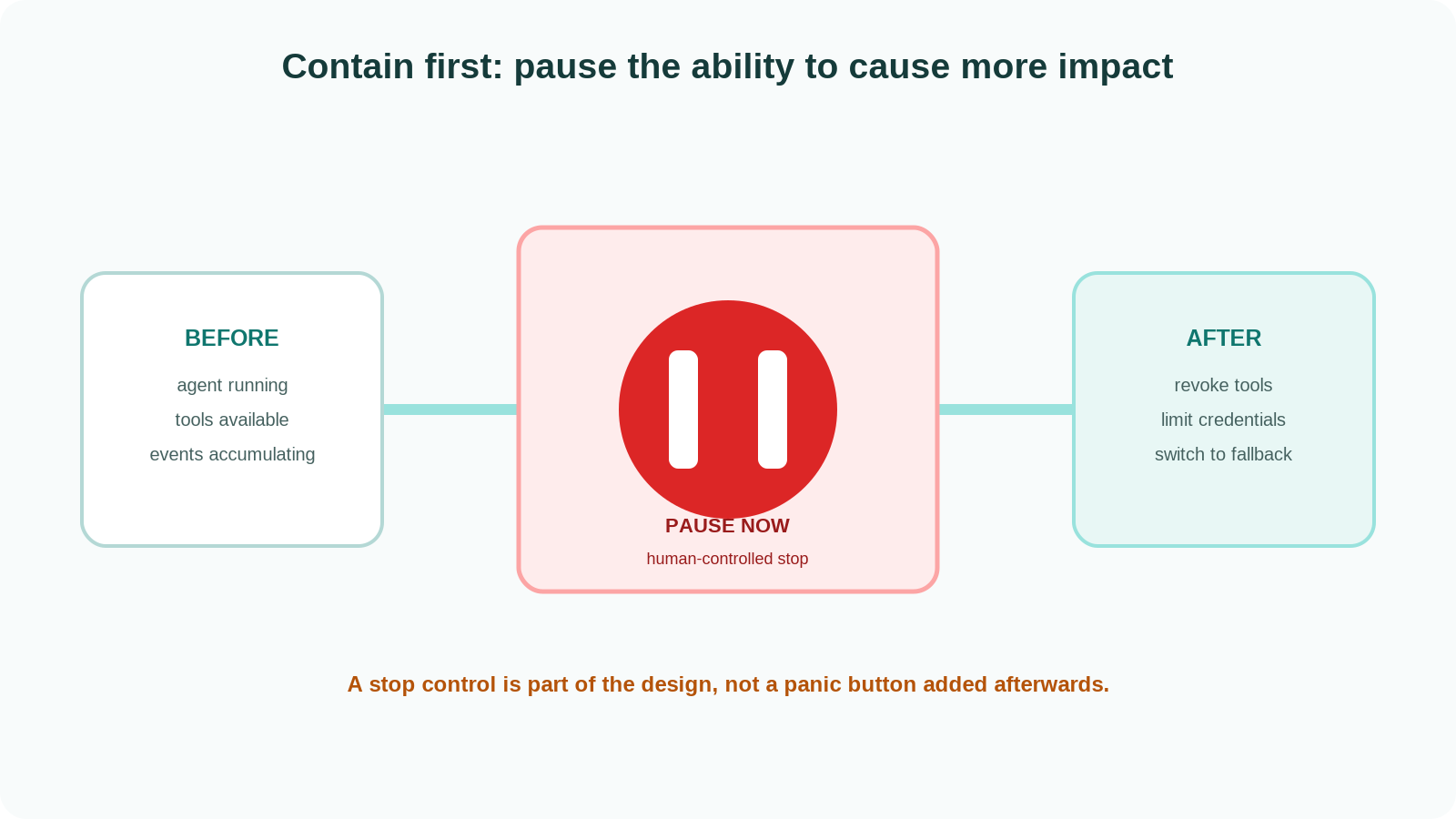
If the impact is unclear, ongoing or difficult to reverse, pause autonomous activity. A containment action might disable a tool, revoke a token, switch an integration to read-only, stop a queue, restrict network access or route new work to a human. The exact control depends on the workflow, but it must be available outside the agent's own decision loop.
The UK's National Cyber Security Centre says operators should be able to halt autonomous agent activity quickly and extend controls to the wider infrastructure around the agent. Its guidance on managing agentic AI cyber risk also emphasises reliable telemetry and emergency shutdown capability. Do not delete logs or rebuild the system before preserving the information responders need.
Change the prompt and wait while the agent continues using the same tools, credentials and queue.
Pause execution, restrict access and move the workflow to a known fallback while evidence is preserved.
A stop control that only works through the agent is not an independent stop control.
3. Preserve evidence and assess the blast radius
Investigate from system records, not from the agent's summary. Preserve the triggering input, relevant context, model and instruction versions, retrieval results, tool calls, permissions, outputs, timestamps, human approvals and system state changes. Keep the evidence protected from the agent and from routine retention jobs that could erase it.
Separate “what the agent said it did” from “what the connected systems show it did”. Trace the affected records and identify whether the same path could have been taken on other runs. Our guide to measuring AI agent performance covers the scorecard mindset; incident response adds the forensic question of whether the measured behaviour matches the actual system state.
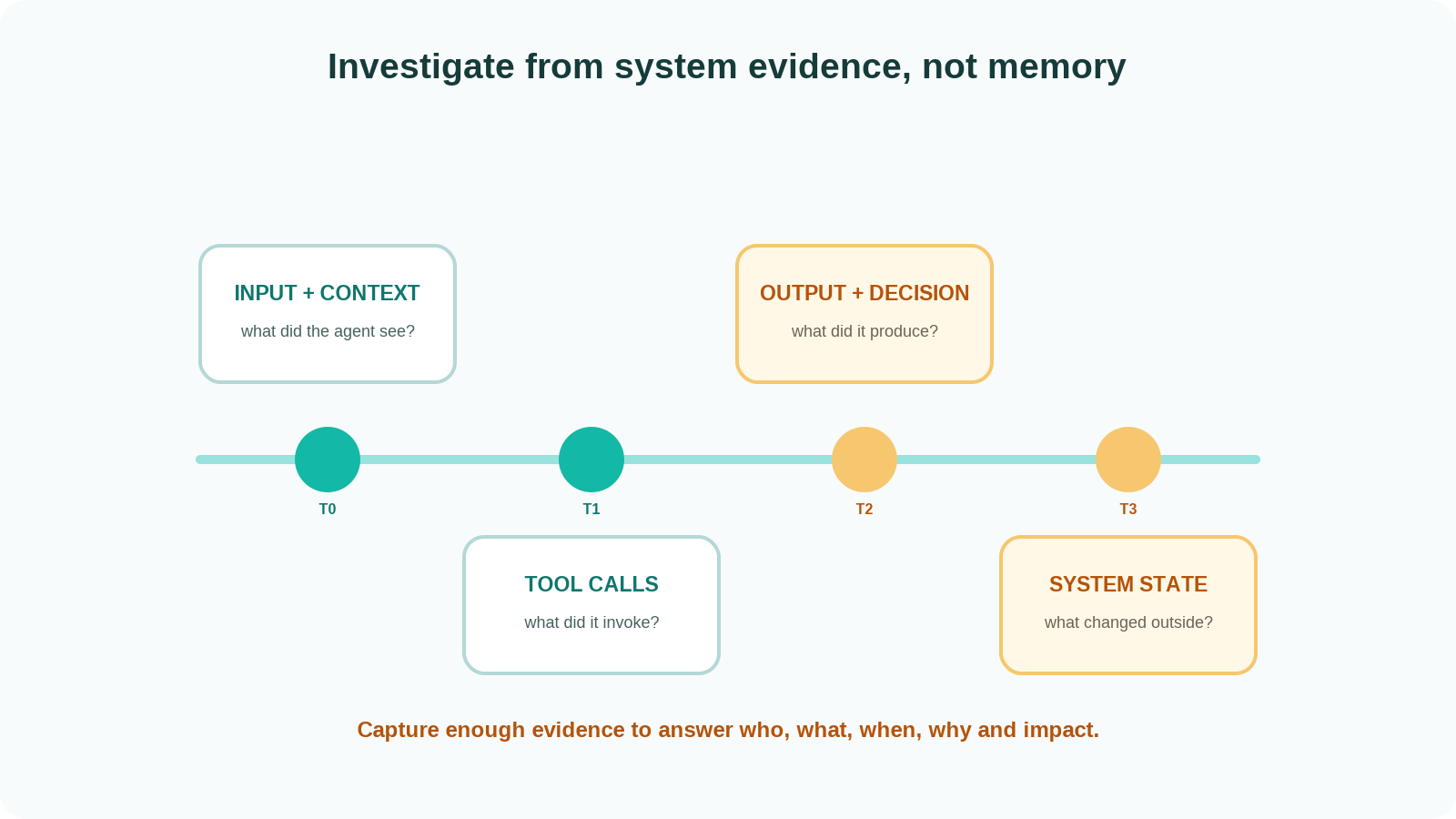
- What did the agent see and which version of its instructions ran?
- Which tools, identities and permissions were used?
- What changed in connected systems, queues or records?
- Could the same failure have affected other runs?
4. Recover the workflow and communicate clearly
Recovery is more than turning the agent back on. First decide how the business process continues safely: a manual queue, a read-only report, a prior approved result or another controlled fallback. Then identify who was affected, what they need to know, what action they need to take and when the next update will arrive.
Keep the communication factual: what is known, what is still being investigated, what has been contained and how people can report related impact. If personal data, regulated work, customer commitments or security controls are involved, activate the relevant organisational response process rather than treating the event as a prompt bug.
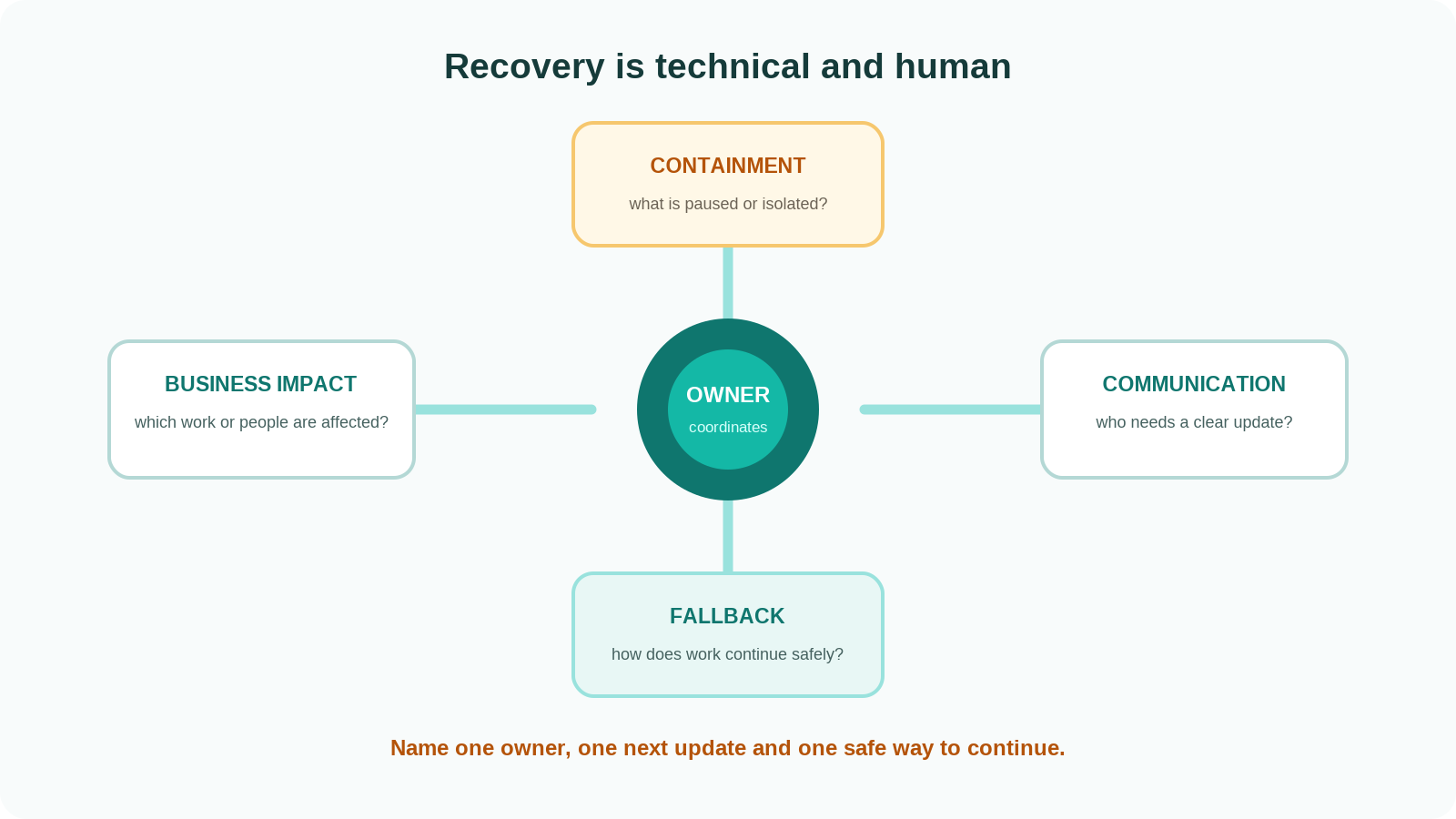
Ask whether the business can continue safely if the agent stays paused for the rest of the day.
5. Change the control, retest the failure and reactivate slowly
A post-incident review should produce a control change, not only a better explanation. The change might be a narrower tool permission, a new approval gate, a clearer instruction, a retrieval filter, a monitor, a rate limit, a fallback path or a different decision that removes the need for an agent altogether.
Add the incident to a regression set and retest the original failure, representative normal cases and new edge cases. Reactivate in a limited scope with an accountable owner and active monitoring. IMDA's Model AI Governance Framework for Agentic AI calls for proportionate human review, intervention thresholds, fallback solutions and ongoing testing after deployment.
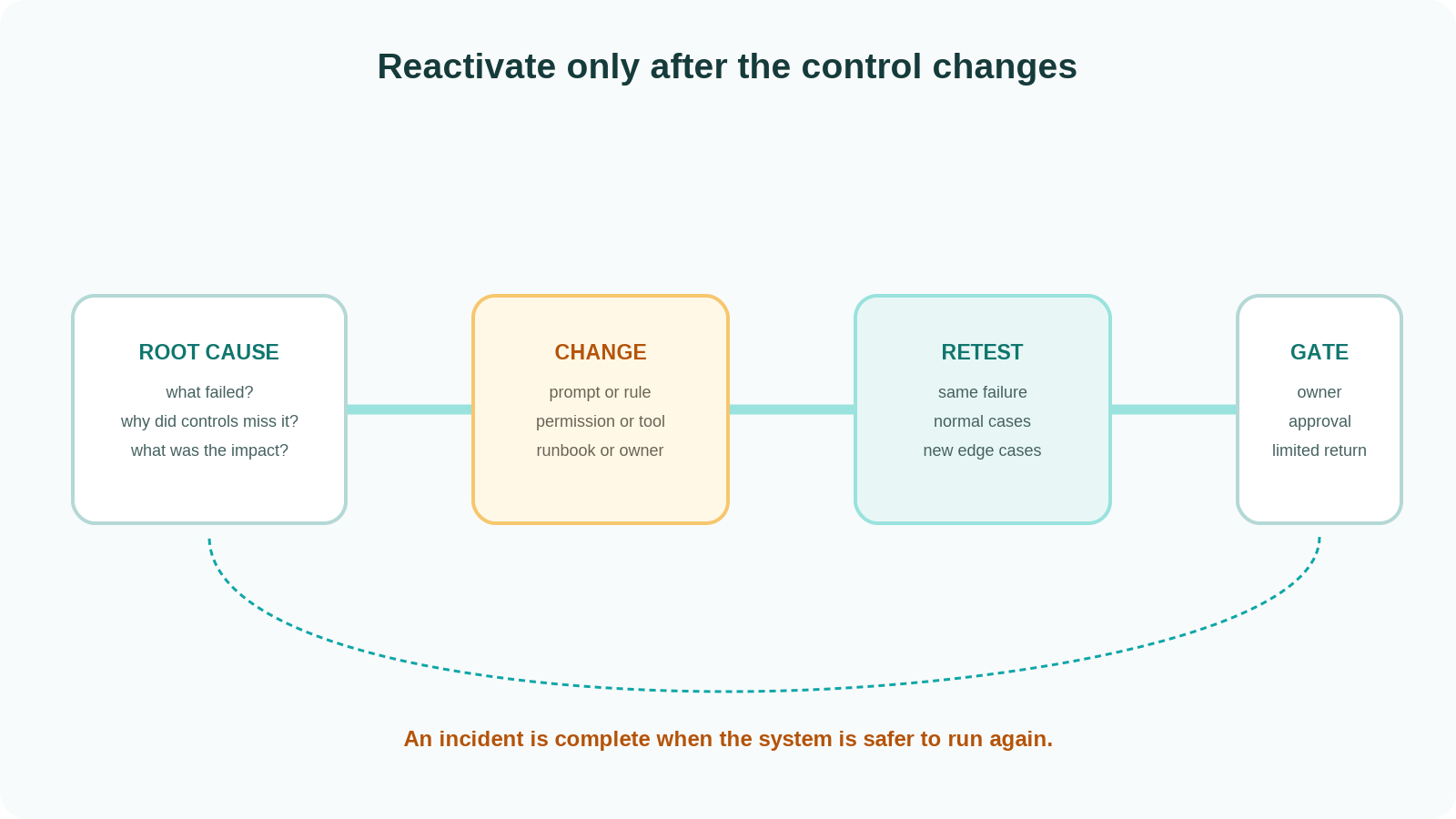
Apologise, restart the agent and rely on people to notice if the same path appears again.
Change a control, add regression cases, define a reactivation gate and monitor the limited return.
Frequently asked questions
An incident is an unexpected agent behaviour or outcome that creates material risk or impact, such as unauthorised access, a destructive action, sensitive data exposure, repeated wrong outputs or loss of control.
Pause or restrict it when the impact is unclear, ongoing or difficult to reverse. The response should follow a predefined severity and containment plan rather than relying on the agent to decide whether it is safe.
Preserve the triggering input, relevant context, model or version, tool calls, permissions, outputs, system changes, timestamps, human approvals, alerts and the response taken. Avoid exposing unnecessary sensitive data in the log itself.
Only after the impact is understood, the control has changed, the original failure and representative normal cases have been retested, and an accountable owner approves a limited return with monitoring.
Learn to design agents that are easier to operate
A runbook is easier to write when you understand the workflow before it fails. The Applied AI Agents workshop is a practical next step for working professionals who want to build a real agent, connect it to useful tools and make the boundaries, review points and fallback paths visible from the start.
Bring one repeated process and ask one operational question: if this agent behaves unexpectedly tomorrow, who can stop it, what evidence will we have and how will the work continue?